Cloud-Free IR Control for Your Dumb Appliances: Q&A Guide
The smart home market offers many ways to control older appliances via infrared, but most solutions rely on cloud services that can be slow, unreliable, or privacy-invasive. Enter IR2MQTT, a cloudless alternative that integrates with Home Assistant using an ESP32 or ESP8266, an IR blaster, and a streamlined web interface. This Q&A covers how it works, what hardware you need, and why ditching the cloud might be your best bet.
What is IR2MQTT and how does it handle infrared control?
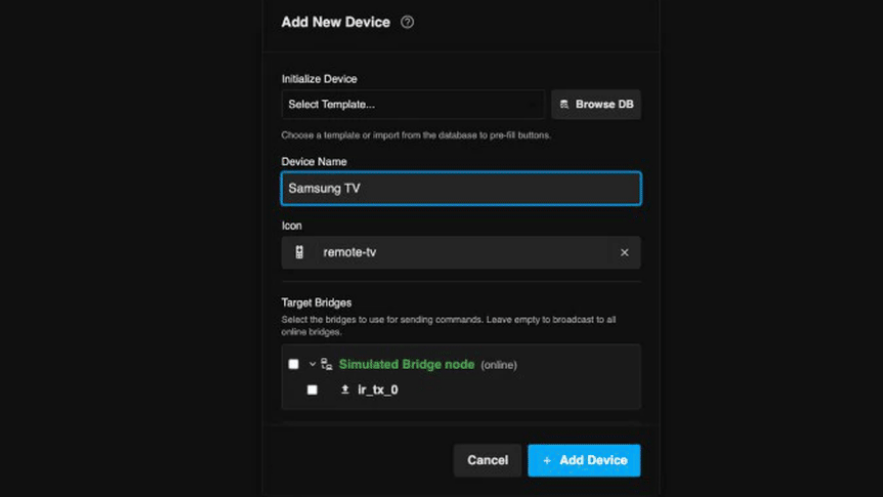
IR2MQTT is a backend plus web interface that turns any ESP32 or ESP8266 running ESPHome into a powerful IR blaster. It listens for MQTT messages and fires specific infrared codes to control devices like TVs or air conditioners. Unlike cloud-dependent systems, all processing stays on your local network. The name says it all: it takes IR commands and translates them into MQTT, making integration with Home Assistant seamless. You don't need to manually capture codes or edit YAML files—the web panel lets you search a large database of pre-learned IR signals for common appliances.
Why choose a cloudless IR solution over traditional smart home IR blasters?
Many off-the-shelf IR blasters require a connection to a cloud service to work, which introduces latency, dependence on internet uptime, and potential privacy concerns. With IR2MQTT, everything runs locally. You eliminate the frustration of a cloud service going down or changing its terms. Plus, local control means faster response times and no data leaving your home. For hobbyists and privacy-conscious users, this is a major advantage. IR2MQTT gives you full ownership of your smart home setup.
What hardware do I need to build a cloudless IR blaster with IR2MQTT?
You'll need a microcontroller board like an ESP32 or ESP8266—both are cheap and widely available. Then, an IR LED and a current-limiting resistor (typically 100Ω) are sufficient for most use cases. The board runs a custom ESPHome firmware that handles MQTT communication and IR signal transmission. Optionally, you can add an IR receiver to learn new codes directly from your remote. That's it: no cloud subscription, no proprietary hub, just simple electronics you can assemble in minutes.
How does IR2MQTT simplify the setup compared to manual code capture?
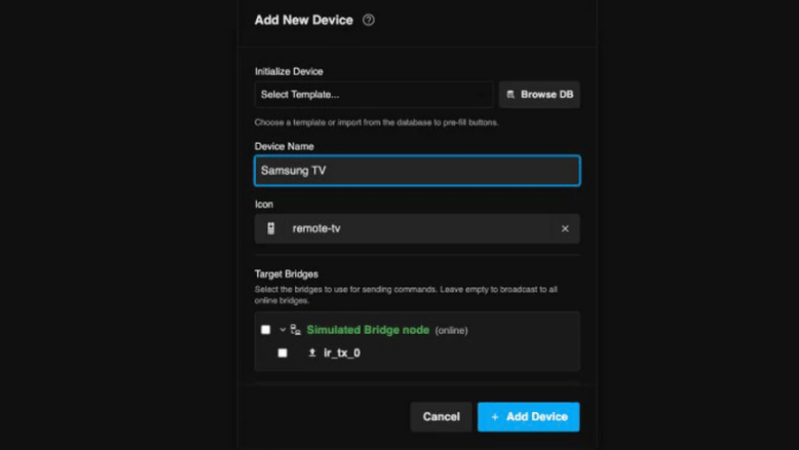
Traditionally, adding an IR device to Home Assistant meant finding or recording the exact infrared codes, then writing YAML configuration files by hand—a tedious, error-prone process. IR2MQTT eliminates most of that work. Its web interface connects to large databases of IR codes for thousands of appliances. You simply select your brand and model, and the system downloads the correct codes automatically. No manual capture, no YAML editing. You can also test the codes instantly before saving. This makes it accessible even for beginners.
Which appliances can I control with IR2MQTT?
IR2MQTT supports any device that uses infrared remote control. Common examples include air conditioners, TVs, set-top boxes, DVD players, and projectors. Because it draws from community-maintained code databases, most major brands (Samsung, LG, Sony, Panasonic, etc.) are covered. If your specific model isn't listed, you can still teach the system by using an IR receiver to capture the signals from your original remote—the web interface guides you through that process too.
How do I integrate IR2MQTT with Home Assistant and create automations?
Once your ESP board is running ESPHome and publishing to MQTT, you add it to Home Assistant via the MQTT integration. Each IR command appears as a button or switch entity. You can then use Home Assistant's automation editor to trigger those commands based on time (e.g., turn on the AC at 6 PM), sensor data (turn off the TV when you leave), or voice control via Alexa/Google Home. Since everything is local, automations remain fast and reliable even without internet access. The cloudless approach truly puts you in control.
Related Discussions